How to Create Practice Tracks for Singing Students
Almost every song your students want to sing exists in one key only — the key the original artist recorded it in. That key was chosen for the artist's voice, not your student's. For a soprano it can sit far too low, for a young baritone painfully high. A student who keeps practising in the wrong key strains, builds bad habits and loses confidence.
That is why vocal teachers and singing coaches create custom practice tracks: the same song, transposed into the key that fits each student's vocal range. Below is the exact 4-step method experienced teachers use with the KeyPitch Audio Studio — it takes a few minutes per student and requires zero audio-engineering skills.
In short: have the student send you the song before the lesson — a file or a KeyPitch Share link — open it in the KeyPitch Audio Studio, move the semitones slider until the song fits the student's vocal range, rehearse, then save the track in the student's folder and send it back as a Share link or a downloaded file for home practice.
Why singing students need practice tracks in their own key
Recordings are fixed in a single key, but no two voices are the same. The result is a mismatch you deal with in every lesson:
- Different voice types — the same song cannot fit a soprano, an alto, a tenor and a changing teenage voice at once.
- Strain and bad technique — reaching for notes outside a comfortable range teaches pushing instead of healthy phonation.
- Wasted home practice — if the only track the student has is in the original key, every rehearsal at home reinforces the problem.
The fix is simple: change the key of the song — shift it up or down in semitones without touching the tempo — and give the student that version to practise with. That transposed file is the practice track.
How to create practice tracks in 4 steps
Here is the workflow vocal coaches who do this every week rely on. It fits naturally around a normal lesson, so preparing the track costs you almost no extra time.
Step 1 — Ask for the song before the lesson
Before the lesson, have your student send you the song they want to work on — as an audio file or a video (MP3, WAV, M4A or MP4 all work), or even simpler, as a KeyPitch Share link: they load the song in the Audio Studio, click Share and send you the link, and you open their song in one click. Either way, you start the lesson with the material already in hand instead of hunting for a usable version.
Step 2 — Upload it to KeyPitch and find the right key together
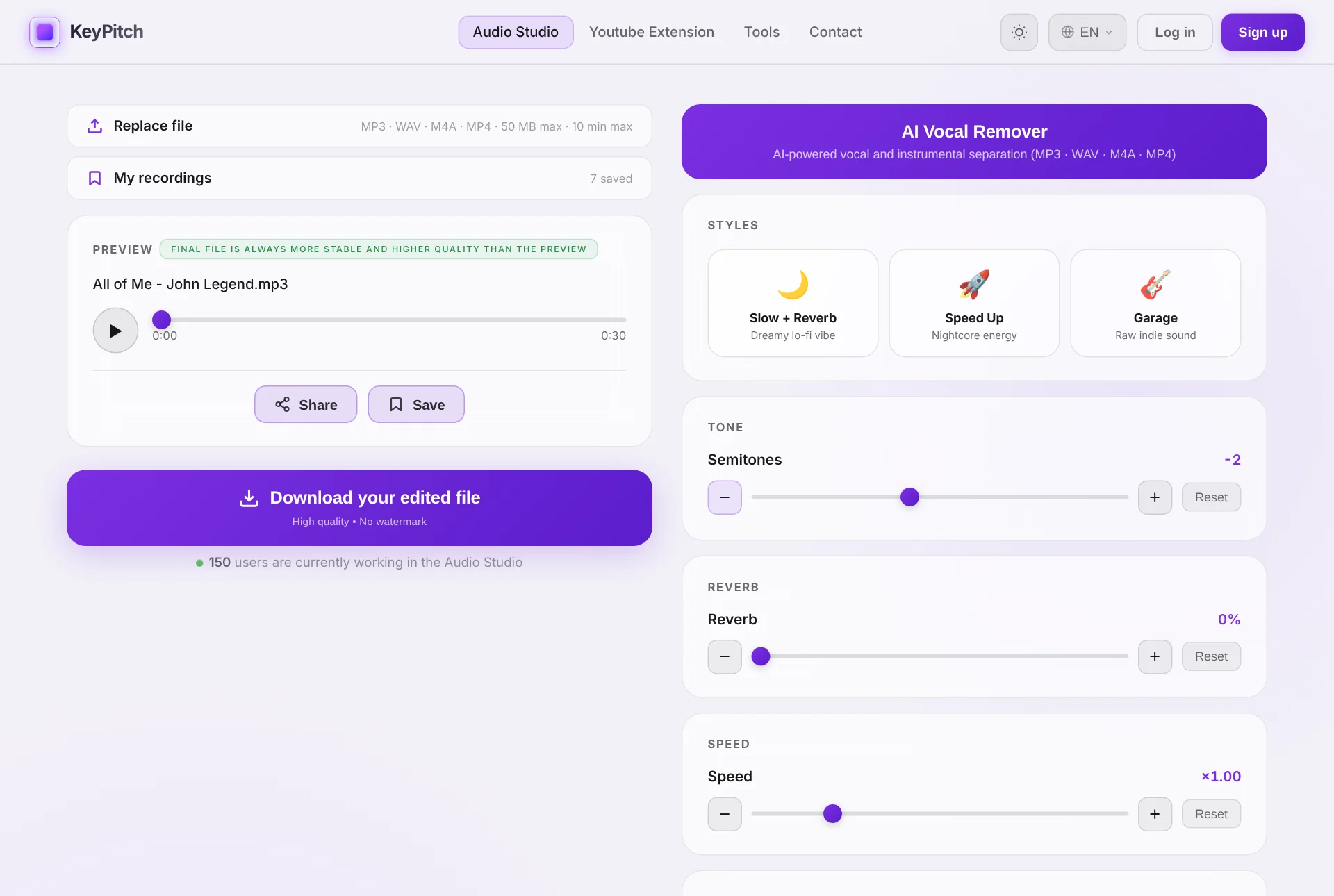
At the start of the lesson, upload the file to the KeyPitch Audio Studio. Press play and move the semitones slider while the student sings the highest phrase of the song. The key changes in real time — no processing wait — so within a minute or two you land on the key where the top notes are comfortable and the low notes stay supported. Try it right here:
Step 3 — Rehearse the song passage by passage
Once the key is set, it stays locked while you work. Use the timeline to jump between the verse, the chorus and the bridge, and rehearse each passage in the new key. Because the tempo is untouched, the student practises the song exactly as they will perform it — just in a key their voice can own.
On a computer, Practice mode makes this even easier: put an A/B loop around the passage and let it go round — or choose Single, which plays it once and waits on A while the student sings it back. With an audio file, paste the lyrics on the left of the screen and size the text for their eyes. Back to start and ±5 seconds in the player take you straight back to the phrase. Save the loop in My recordings and next week the same passage reopens, with its settings. Practice mode is free for 5 minutes a day, unlimited with a subscription.
Step 4 — Save it in the student's folder and send it
At the end of the lesson, save the track in the student's folder — it keeps the key and every setting, ready for the next lesson. Then send it: a Share link opens the track in the Studio with your exact settings (free, valid for 7 days), and the downloaded file plays anywhere — phone, laptop, car — offline, with no ads and no app to install. Every minute of home practice now reinforces the right habits instead of the wrong key.
Keep every student's practice tracks in one place
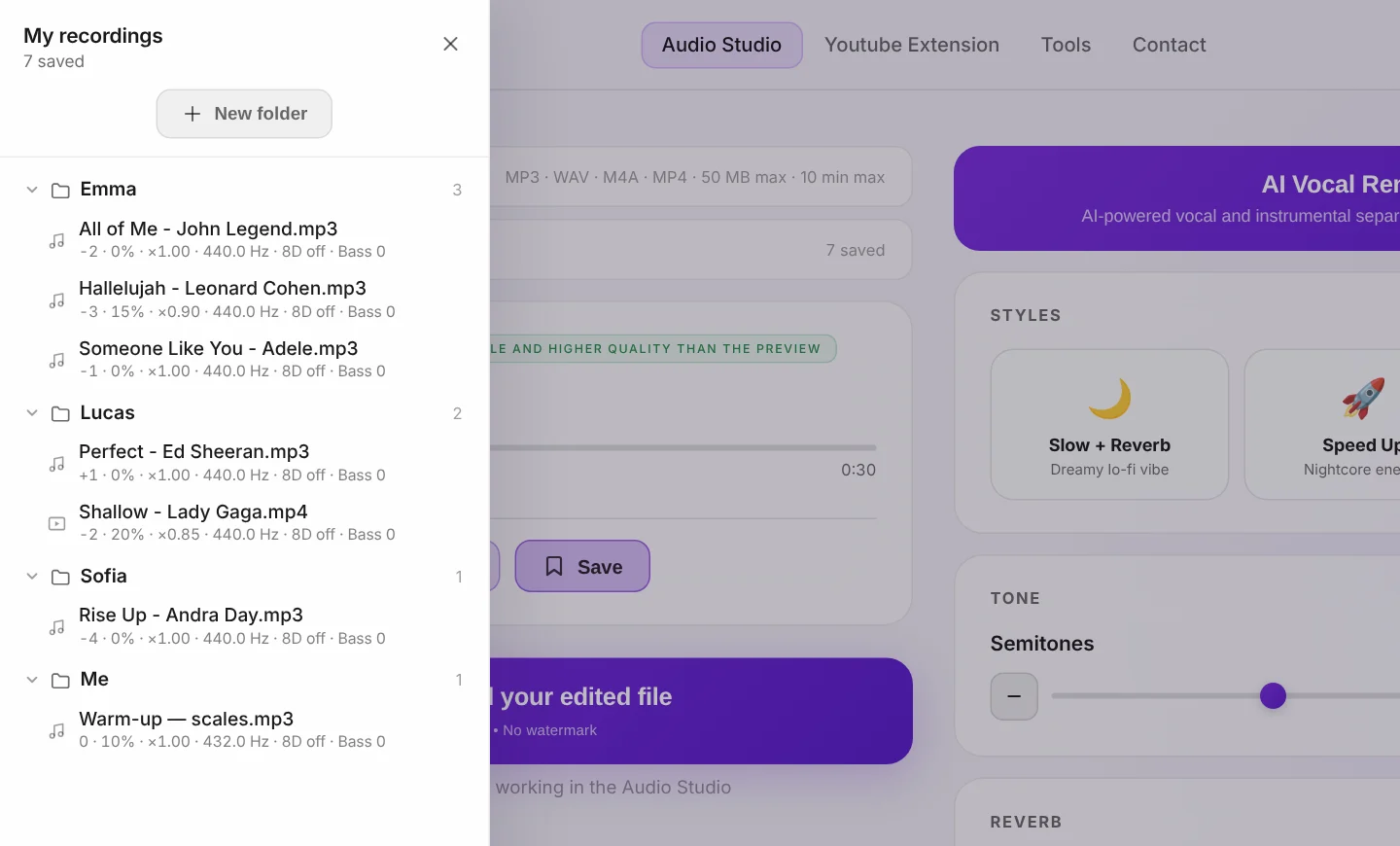
A practice track is not a one-off: the same songs come back week after week, and each student has their own key. The Audio Studio's library, My recordings, keeps them all with their settings. Create one folder per student, rename it after them and drag each song inside — at the next lesson, their repertoire is one click away, already in their key. It now keeps A/B loops too — just the passage a student is working on — with the equalizer and every setting.
Without an account you keep 3 recordings in the current tab; a free account keeps 3 permanently, on any computer; the subscription makes recordings and folders unlimited — which is what a teacher with a full class ends up needing.
Send practice tracks in one link — in both directions
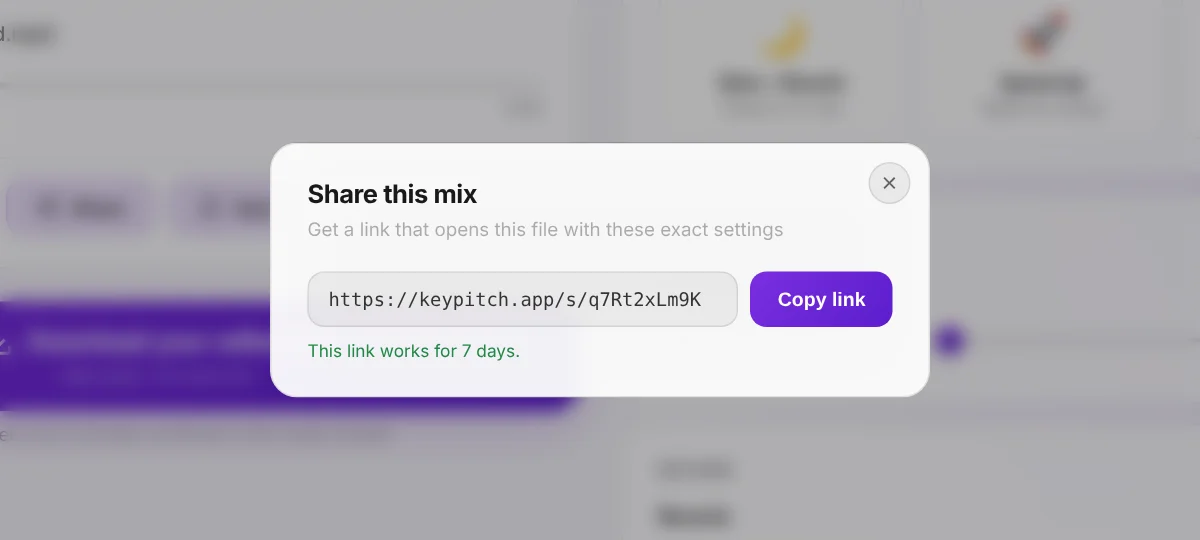
Emailing audio files works, but it clutters inboxes and loses the settings. With Share, the Studio gives you a link that opens exactly your file with exactly your settings. Your student opens it on any device, with no account and no install. Creating, sending and opening links is free, and every link stays valid for 7 days.
Students use it too: they send you the song they want to work on before the lesson, and you open it in one click. The practice track goes back the same way — so you and your student always work on the same file.
Know which key you are giving your student
The Audio Studio now analyses every song you load. Click the ⓘ button under the player and you get the original key, its relative key, the Camelot code and the tempo. Move the semitones slider and the panel follows: a song in A Minor moved −2 reads G Minor. Write it on the student's sheet, tell the accompanist, or put it in the name of the folder. It is free; Practice mode and its A/B loop are free for 5 minutes a day, and unlimited with a subscription.
Tips for finding the right key faster
- Start from the hardest phrase. Have the student sing the highest (or lowest) line of the song first — it instantly tells you which direction to move.
- Move one semitone at a time. Most voices settle within ±1–3 semitones; beyond about ±3 the track can start to sound unnatural.
- Save it, don't write it down. Instead of noting each student's shift (e.g. “Sarah: −2”), save the track in their folder — the key and every setting are kept for you.
- Need a karaoke version? Use the AI Vocal Remover in the Audio Studio to strip the lead vocal, then transpose the instrumental to the student's key.
- Loop the passage, not the whole song. In Practice mode, an A/B loop around the hard phrase saves minutes of searching along the bar in every lesson.
Can you create practice tracks directly from YouTube?
For live work, yes. The free KeyPitch Chrome extension adds a key and speed panel right on YouTube, so during the lesson you can transpose any karaoke or backing video in real time — perfect for testing keys with a student in seconds.
But there is a hard limit: no transposition extension can download the transposed audio, because YouTube does not allow downloads. So for the practice track your student takes home, the workflow above is the way: get the song as a file, transpose it in the KeyPitch Audio Studio, and export it.
And the extension now has its own library: save each YouTube song with the key you found for each student, in unlimited folders organised by drag and drop and stored locally in your browser. At the next lesson, one click brings the video back, already in the right key — ideal for teachers who work live on YouTube with their students. With the new Studio mode, KeyPitch opens in a side panel right next to the video, in theater mode; the library now saves A/B loops too — just the chorus your student is working on — and My space shows their practice streaks.
Why more and more teachers and students choose KeyPitch
Because it is a complete ecosystem that stays simple: the free extension for live work on YouTube, the Audio Studio to transpose, slow down and separate vocals, share links to exchange tracks with their settings, and libraries that keep every student's songs in order. Teachers, coaches and their students all work in the same environment — 19700+ musicians already do.
Every student deserves to practise in their key. Upload the next song a student sends you — and have their practice track ready before the lesson ends.
Frequently Asked Questions
Ask the student to send you the song before the lesson, as a file or a KeyPitch Share link. Open it in the KeyPitch Audio Studio, move the semitones slider until the song fits the student's vocal range and rehearse the passages you are working on. Then save the track in the student's folder and send it back as a Share link or a downloaded file for home practice.
Have the student sing the highest phrase of the song while you move the key down or up one semitone at a time. When the highest note feels comfortable and the lowest notes stay supported, you have found the key. Most students need a shift of 1 to 3 semitones.
In real time, yes — the free KeyPitch Chrome extension changes the key of any YouTube video live during the lesson. But no transposition extension can download the result, because YouTube does not allow downloads. To give your student a file they can keep, upload the song to the KeyPitch Audio Studio and export it from there.
Uploading a song, changing the key and previewing the result are free in the KeyPitch Audio Studio. Downloading the edited file is paid: you can buy a single export, a discounted pack of export credits, or a subscription with unlimited downloads.
The subscription with unlimited downloads. A coach typically prepares a new track for every student every week, so unlimited exports — plus unlimited AI vocal removal and Practice mode — quickly beats paying per download. Single exports and credit packs are better for occasional use.
Yes. For teachers with many students, KeyPitch offers licenses that cover the teacher and all of their students at a reduced per-seat price, so everyone gets their own access to the Audio Studio. Get in touch through the contact page for license pricing.
MP3, WAV, M4A or MP4 — an audio file or a video both work, up to 50 MB and 10 minutes. KeyPitch processes the audio (and keeps the picture in sync for MP4) and exports MP3 or WAV — or MP4 if the student sent a video.
No. KeyPitch shifts pitch independently of tempo, so the practice track stays at the original speed — only the key moves. You can also slow the track down separately to work on difficult passages.
Yes. The KeyPitch Audio Studio includes an AI Vocal Remover that splits a song into vocals and instrumental. Remove the lead vocal, transpose the instrumental to the student's key, and download a clean karaoke practice track.
Most singers only need 1 to 3 semitones up or down. KeyPitch goes from −12 to +12, but beyond about ±3 semitones the audio can start to sound unnatural, so use the smallest shift that makes the song comfortable.
Two ways. Download the file and email it, or click Share in the Audio Studio to get a link that opens the track with your exact settings. Your student only has to open the link — no account, no install. Links are free to create and receive, and stay valid for 7 days.
Yes. Save a track with its settings in your library and reopen it whenever you like, sorted into folders by drag and drop — one folder per student, renamed to their name. Three recordings are free with an account, and a subscription makes the library unlimited. You can save an A/B loop too: just the passage a student is drilling, which reopens in Practice mode.
Yes. The free KeyPitch extension has its own library: save each YouTube song with its key, pitch, tempo and effects, and sort it into unlimited folders by drag and drop — one per student. It is stored locally in your browser, and one click brings the song back in the right key at the next lesson. It can also save an A/B loop, such as the chorus your student is learning, and reopen exactly that passage.
Yes. The student loads the song in the KeyPitch Audio Studio, sets it the way they have been singing it, clicks Share and sends you the link. You open their file in one click with their settings, adjust the key in the lesson, and send the finished practice track back the same way.
Yes. In the Audio Studio, on a computer, Practice mode adds an A/B loop: mark the start and the end of the passage, then choose Infinite to repeat it, or Single to hear it once and sing it back from point A. With an audio file, the lyrics can be pasted next to the controls, in a size the student can read. The loop can be saved in My recordings for the next lesson. Practice mode is free for 5 minutes a day, unlimited with a subscription.
Click the ⓘ button under the player in the Audio Studio. The analysis panel shows the key of the song, its relative key, its Camelot code and its tempo — and when you move the semitones slider, it shows the new key. A song in A Minor transposed −2 reads G Minor. It is free.