KeyPitch: The 100% Free Alternative to the Transpose Extension
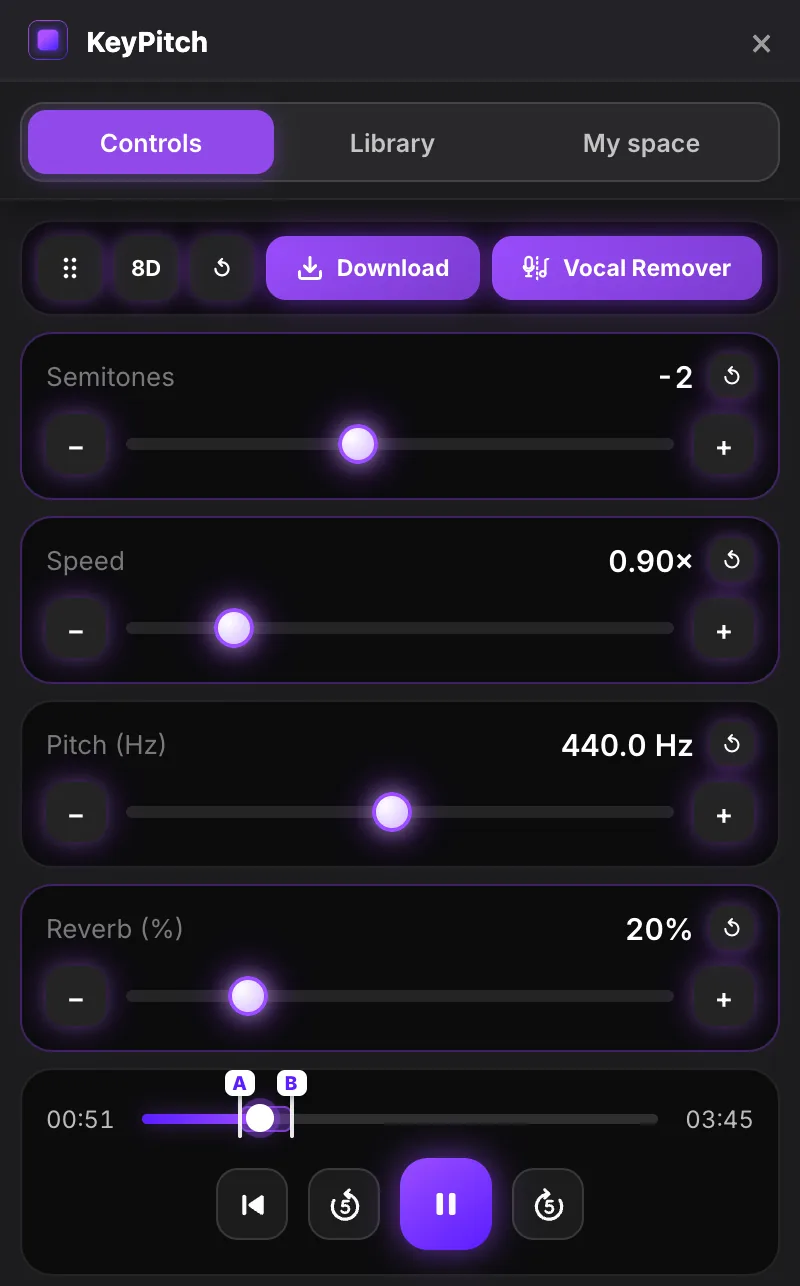
KeyPitch is the 100% free alternative to Transpose. Like Transpose, this browser extension changes the key, speed and pitch of any song in real time on YouTube, Spotify, Apple Music and more. Unlike Transpose, everything is free on every song: reverb, 3 A/B loops, a 10-band equalizer with presets, a library to save your settings and stats to follow your progress. No subscription, no in-app purchases, no account.
Chrome, Edge, Brave and Opera · installs in 30 seconds · no account
Why look for an alternative to Transpose?
Transpose is one of the best-known extensions for changing the key and the speed of a song in your browser. Its free version covers pitch, speed and loops on every song. But its Studio tools, such as the equalizer, the Vocal Reducer, Stem Mix and clips, are only free on 3 songs at a time, and you can swap one of them every 30 days. Saving a song's settings also requires a Google account and one of those 3 songs.
Beyond that, Transpose Studio costs $4.99 a month, $34.99 a year or $149.99 one-time (prices on transpose.video, November 14, 2026).
If you practice more than three songs, that limit comes quickly. KeyPitch takes the opposite approach: every feature, on every song, for free.
KeyPitch vs Transpose: what's free?
| Feature | 100% free KeyPitch |
 Transpose |
|---|---|---|
| Price | 100% free | Free version, then $4.99/month, $34.99/year or $149.99 one-time for unlimited Studio |
| Change the key (±12 semitones) | Free | Free |
| Speed without changing the pitch | Free, ×0.25 to ×4 | Free, 25% to 400% |
| Fine pitch in Hz | Free, 415.3 to 466.2 Hz | Free |
| Reverb | Free, 0 to 100% | Not offered |
| A/B loops | Free, up to 3 per song | Free; clips and sequences in Studio |
| Equalizer with presets | Free, 10 bands and 6 presets | Studio tool: 3 songs free, then paid |
| Save your settings | Free and unlimited, in folders, no account | Google account and Studio songs only |
| Practice stats | Free: streaks, time, songs | Not offered |
| Side panel next to the video | Free (Studio mode) | Yes (Side) |
| Chrome Web Store rating | 4.9 · 120 ratings | 4.2 · 1,126 ratings |
Transpose: information from transpose.video and its Chrome Web Store page on November 14, 2026, prices in US dollars. Average ratings and number of ratings from the Chrome Web Store, as of .
Everything KeyPitch does, for free
All of this is free as soon as KeyPitch is installed, on every song, with no limit.
Key, speed, pitch and reverb in real time
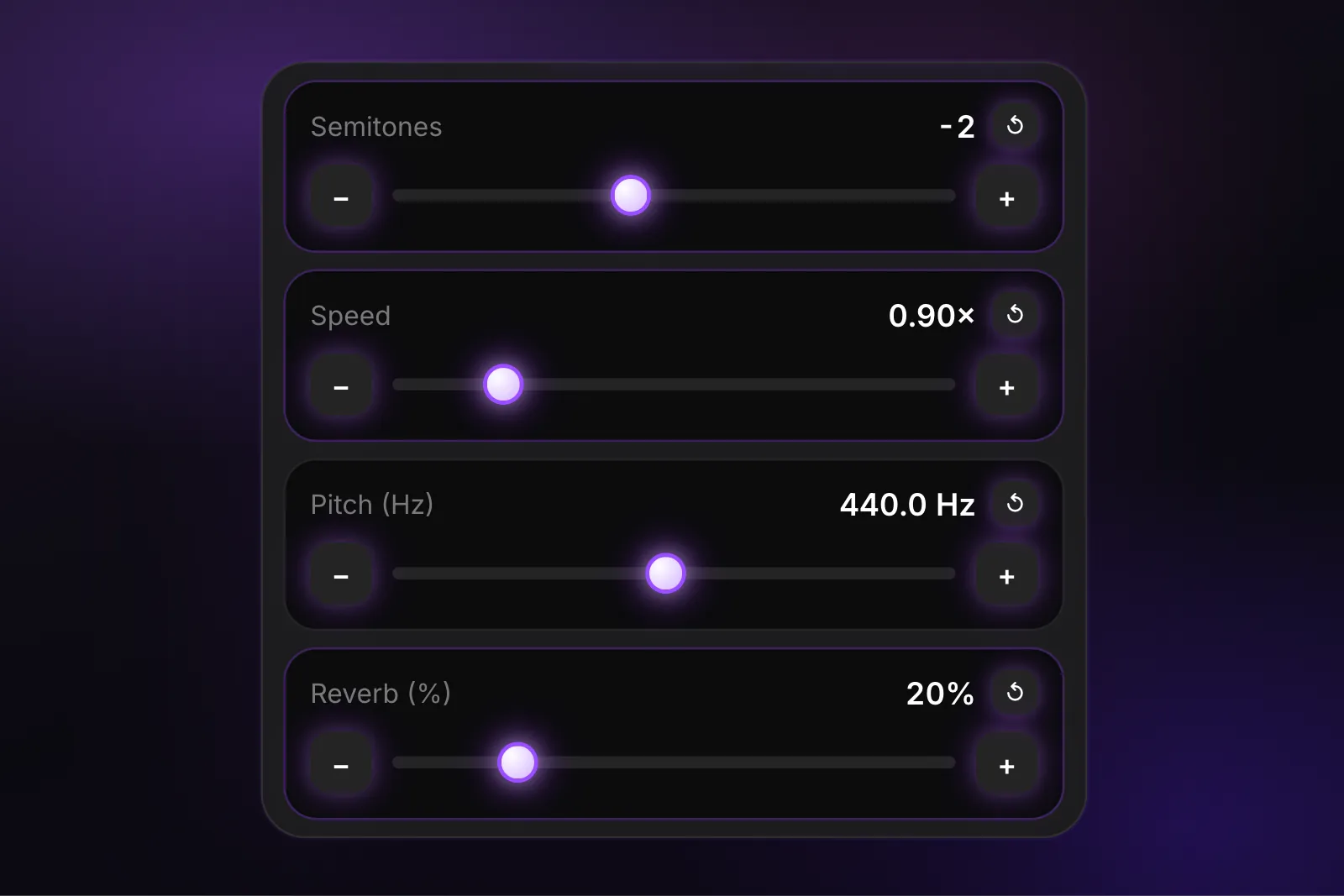
Move the Semitones slider from −12 to +12 to put any song in your key, slow it down or speed it up from ×0.25 to ×4 without changing the pitch, fine-tune the pitch from 415.3 to 466.2 Hz to match your instrument, and add up to 100% reverb. Everything changes while the music plays.
3 A/B loops to practice the hardest passages
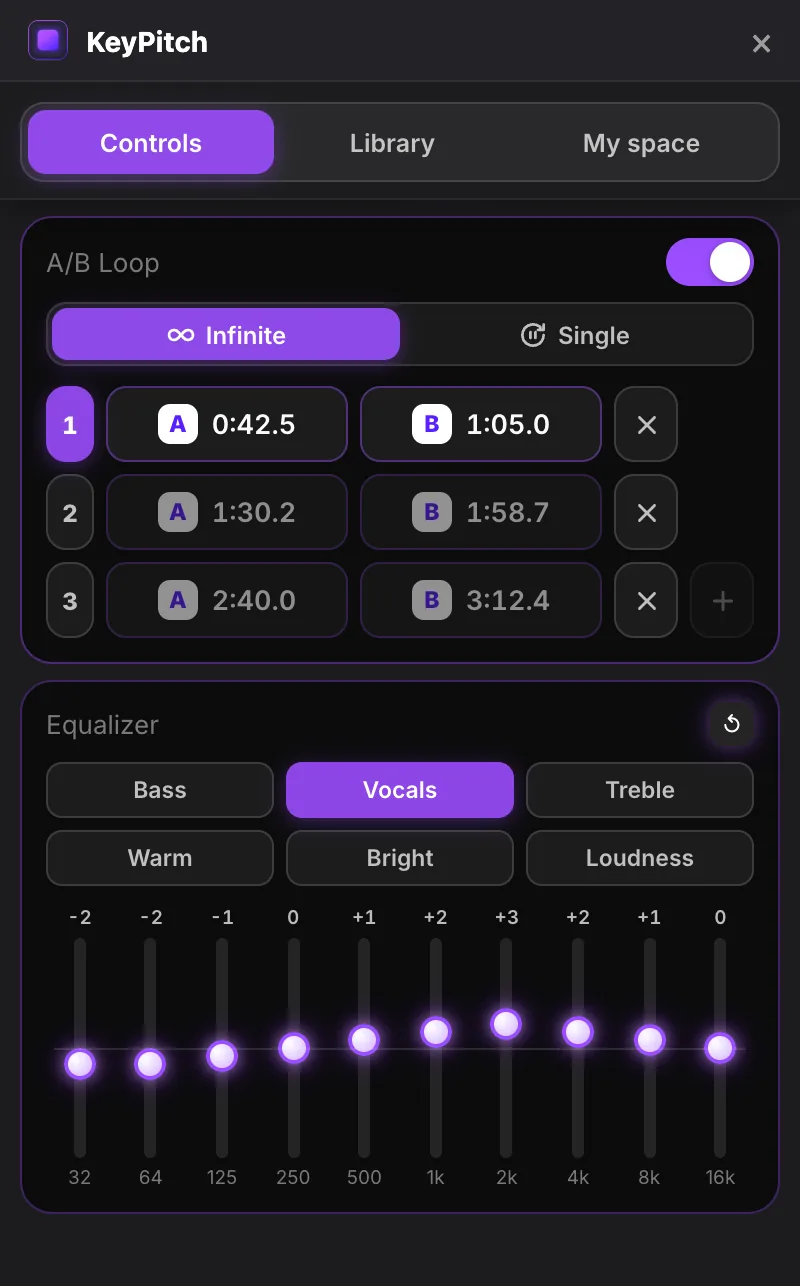
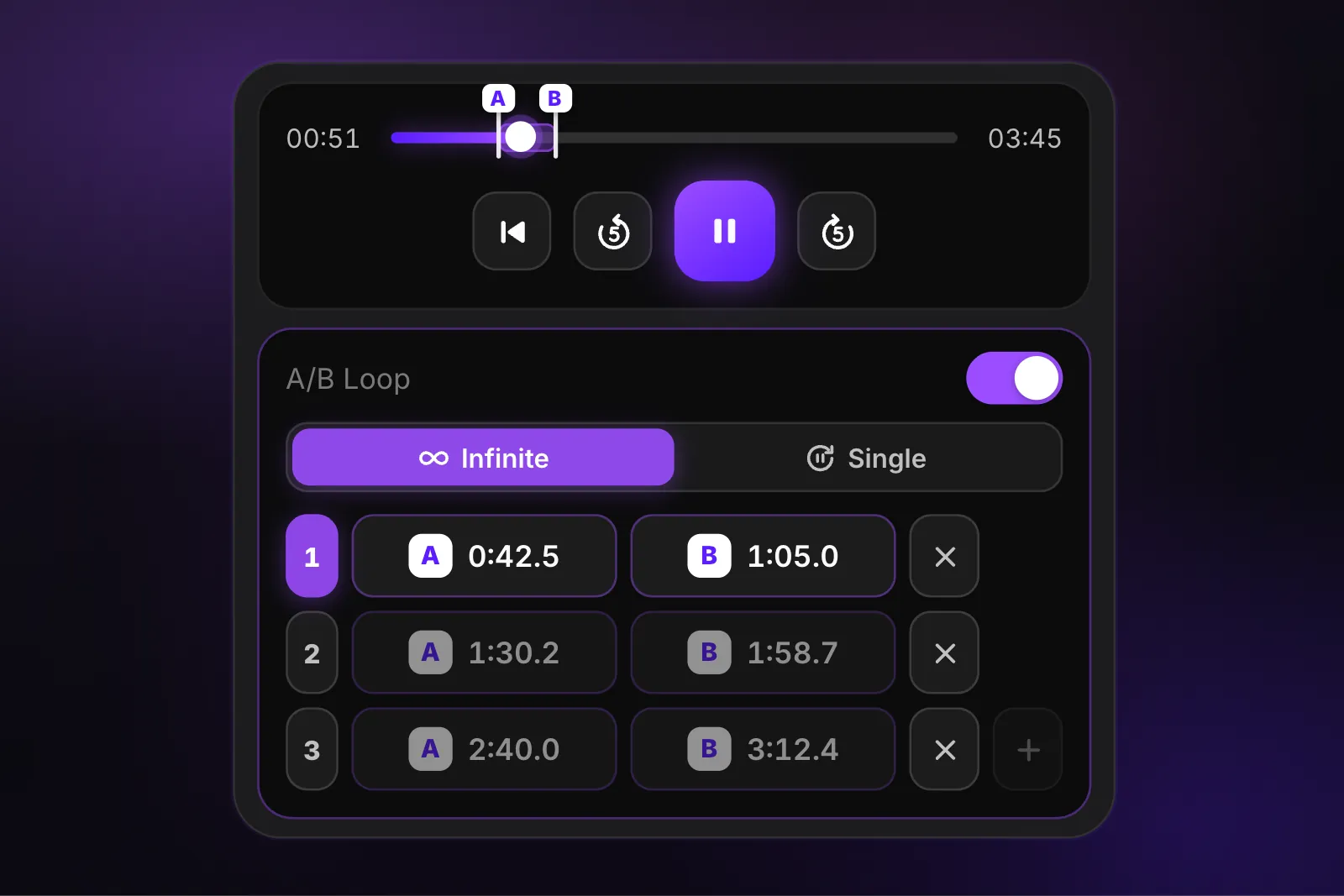
Set up to 3 A/B loops on the same song, for the verse, the chorus and the bridge, and switch from one to another in one click. Infinite repeats the passage until you have it; Single plays it once and waits. Keyboard shortcuts: A, B, L, and 1, 2, 3 to pick a loop.
A 10-band equalizer with 6 presets
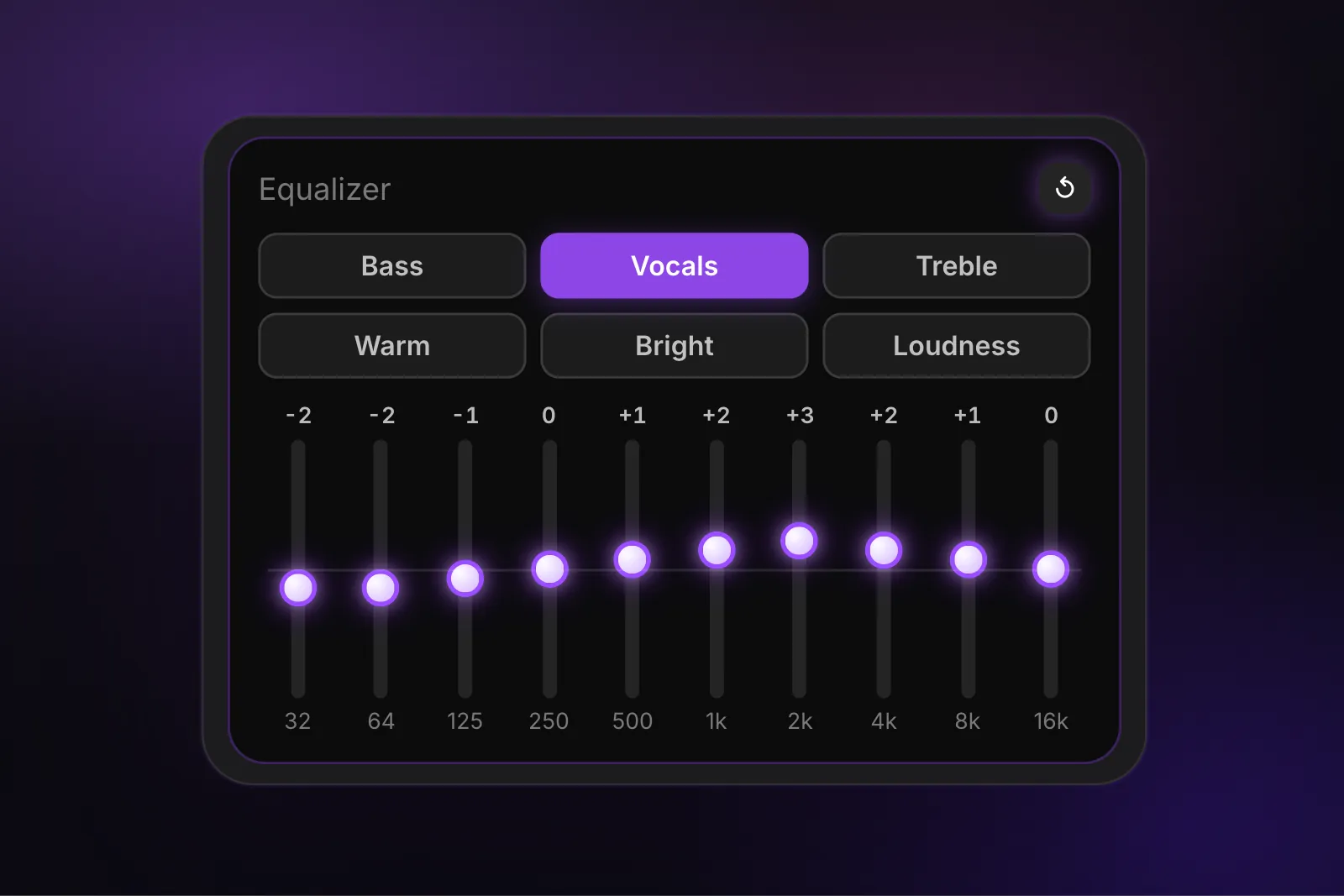
Shape the sound from 32 Hz to 16 kHz, band by band, or pick a preset in one click: Bass, Vocals, Treble, Warm, Bright and Loudness. Vocals brings the voice forward to learn a melody; Bass brings out the bass line to transcribe it. In Transpose, the equalizer is a Studio tool.
Save your settings as presets in the library
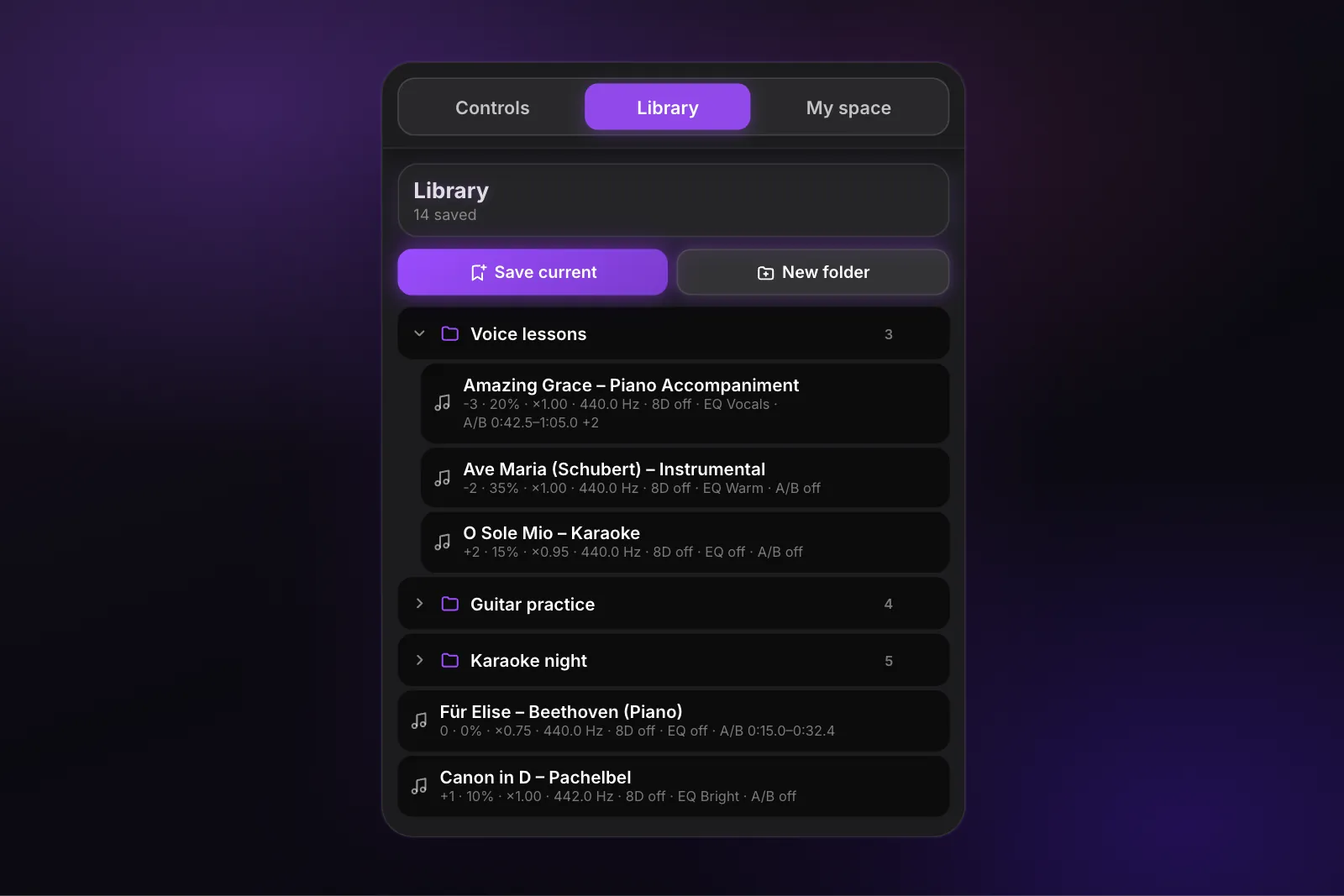
When a song sounds right, click Save current: its key, speed, pitch, reverb, 8D audio, equalizer and A/B loops are saved together, like a preset. Sort your songs into folders, one per student, band or set, and reopen any of them in one click, exactly as you left it. No account needed: your library stays in your browser.
Track your progress with your practice stats
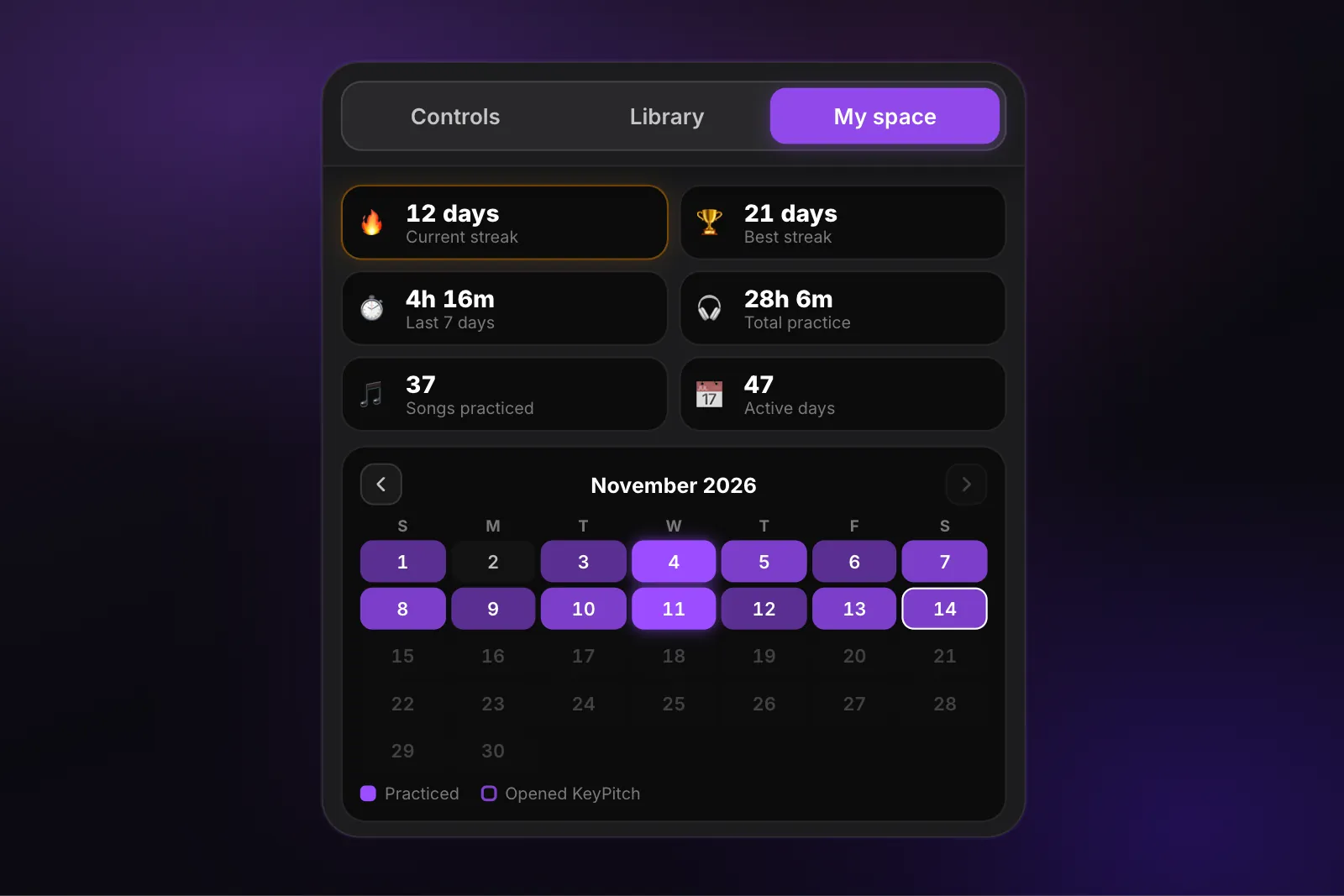
The My space tab follows your practice: current streak, best streak, practice time over the last 7 days and in total, songs practiced and active days, with a calendar of the days you practiced. Watching your streak grow is the best motivation to practice every day.
Studio mode: everything next to the video
Click Studio mode and KeyPitch opens in Chrome's side panel, right next to the video, while YouTube switches to theater mode. The video on the left, every control on the right, and nothing covering the picture.
On YouTube, Spotify, Apple Music and more
KeyPitch works the same way on YouTube, YouTube Music, Spotify, Apple Music, Deezer, Amazon Music, SoundCloud and Audiomack, and your library keeps your songs from every site side by side.


100% free: no subscription, no in-app purchases
With Transpose, using the Studio tools on more than 3 songs means paying. With KeyPitch, everything is free, on every song, for as long as you want: no trial period, no song limit, no credit card and no account.
- Key, speed, pitch, reverb and 8D audio
- 3 A/B loops per song, Infinite or Single
- A 10-band equalizer and 6 presets
- An unlimited library, with folders and saved loops
- Your practice stats in My space
- Studio mode in the side panel
How can it be free? KeyPitch also offers an online Audio Studio with paid options, such as downloading your transposed songs. The extension is how we welcome musicians, and its developer has promised it will always stay 100% free.
What users say
- 5 ★115
- 4 ★2
- 3 ★2
- 2 ★0
- 1 ★1
Several users compare KeyPitch with Transpose in their Chrome Web Store reviews. Here is what they say, in their own words.
sooo much better than transpose yo thanks for making this
LOVE LOVEEEE THIS EXTENSION AND IT'S FREE TOO🥺🥺🥺
Absolutely fantastic app much better than the now paid Transpose. I would love to see a couple of features added, such as: - HQ Audio - Vocal Reduction - EQ Mixing Above all else, though, and if you take anything away from my review, please make it so that we can assign a tab to the extension. That way, if I'm looking at lyrics on a different tab, I can quickly change the transposition/pitch without having to go back to YouTube.
Comparably better than the previous plugin I used for a purpose like this, you don't need to refresh every time you make a little adjustment, it all works fluidly in real time, same of course applies to effects and such! low memory footprint, and honestly I adore just how well thought out and designed the UI/UX are here, alongside the fluidity of the controls, it all feels natural and while I'm sure this can be expanded on further, as it stands, this has a 4.9 out of 5 for a reason- this is a solid extension.
easy to use, practical and free
Translated by KeyPitch · original language: EspañolSuperb app, very effective. I sing, and it's indispensable for adapting songs to my vocal range, for working on my high notes, for example, and for seeing my progress. Really well done and thank you!
Translated by KeyPitch · original language: FrançaisRead all 79 reviews and the developer's replies
How to switch from Transpose to KeyPitch
- Add KeyPitch to Chrome from the Chrome Web Store. It's free and takes 30 seconds.
- Pin KeyPitch to your toolbar: click the puzzle icon, then the pin next to KeyPitch.
- Turn off Transpose in chrome://extensions while you use KeyPitch, so that only one extension processes the sound.
- Open a song on YouTube or Spotify, click KeyPitch and move the Semitones slider. For the full workspace, click Studio mode.
Still hesitating? Our comparison puts KeyPitch, Transpose and Pitch-Changer side by side, tested on price, sound quality, interface and reviews.
Ready to practice in your key? Add KeyPitch to Chrome: every feature is free, on every song.
Frequently Asked Questions
KeyPitch. Like Transpose, it changes the key, speed and pitch of a song in real time in your browser. It also gives you reverb, 3 A/B loops, a 10-band equalizer with 6 presets, an unlimited library of presets and practice stats. Everything is 100% free on every song, with no subscription and no in-app purchases.
Yes. Every feature of the KeyPitch extension is free, on every song and with no time limit: key, speed, pitch, reverb, 8D audio, 3 A/B loops, the 10-band equalizer, the library and My space. There is no subscription, no in-app purchase and no account to create.
Partly. Transpose's pitch, speed and loops are free on every song, but its Studio tools, such as the equalizer, the Vocal Reducer, Stem Mix and clips, are free on only 3 songs at a time. Unlimited Studio costs $4.99 a month, $34.99 a year or $149.99 one-time (transpose.video, November 2026).
Reverb, a 10-band equalizer with 6 presets on every song, an unlimited library that saves your settings and loops without an account, and practice stats with your streaks. In the free version of Transpose, the equalizer is limited to 3 Studio songs, and there is no reverb and no practice stats.
Up to 3 per song. Set points A and B for each passage, choose the loop to play with 1, 2 or 3, then Infinite to repeat it or Single to play it once. Your loops are saved with the song in the library.
Yes. KeyPitch has a 10-band equalizer, from 32 Hz to 16 kHz, with 6 presets: Bass, Vocals, Treble, Warm, Bright and Loudness. It is free on every song.
Yes. In the Library tab, Save current keeps the song's key, speed, pitch, reverb, 8D audio, equalizer and A/B loops. Sort your songs into folders and reopen each one in one click with the same settings. The library is unlimited and stays in your browser, with no account.
Yes. The My space tab shows your current streak, your best streak, your practice time over the last 7 days and in total, the songs you practiced and your active days, with a practice calendar. Your stats stay in your browser.
Yes. The key and the speed are independent: lower a song by 2 semitones while it plays at its original speed, or slow it down without changing its key.
YouTube, YouTube Music, Spotify, Apple Music, Deezer, Amazon Music, SoundCloud and Audiomack. Every control works the same way on each site, and KeyPitch stays free everywhere.
No. Install the extension and use it right away. Your library and your stats are stored in your browser, on your computer.
Not on the same tab: two extensions processing the same sound get in each other's way. Turn Transpose off in chrome://extensions while you use KeyPitch, and back on whenever you like.
Chrome, Edge, Brave, Opera and other Chromium-based browsers on a computer. You install it from the Chrome Web Store.
Not the extension itself. Its Download and Vocal Remover buttons open the KeyPitch Audio Studio on keypitch.app, where separating the vocals and listening are free, and downloading the final file as MP3, WAV or MP4 is a paid option.
No. KeyPitch is an independent extension. Transpose is published by Transpose Studio B.V.; its name is used on this page only to compare the two extensions.