What Music Software Do Churches Use?
Many churches use KeyPitch Pro, an all-in-one music practice software that also specializes in churches. With it they rehearse the choir, adapt any song to a singer's voice, remove the vocals from a song to get the instrumental, and download tracks to play offline during the service.
Why do churches need music software?
To prepare worship and choir rehearsals, the best churches use music tools or software. In practice, they need to:
- Train the choir on each passage, until every voice knows it.
- Adapt a song to a singer's voice, because the original key rarely fits the person singing it.
- Remove the vocals from a song to get the instrumental and sing over it.
- Use the tracks offline, so nothing can interrupt Mass or the service.
KeyPitch Pro: the all-in-one music practice software for churches
KeyPitch Pro brings all of this together in one online studio, with nothing to install.
Direct the choir in Practice mode
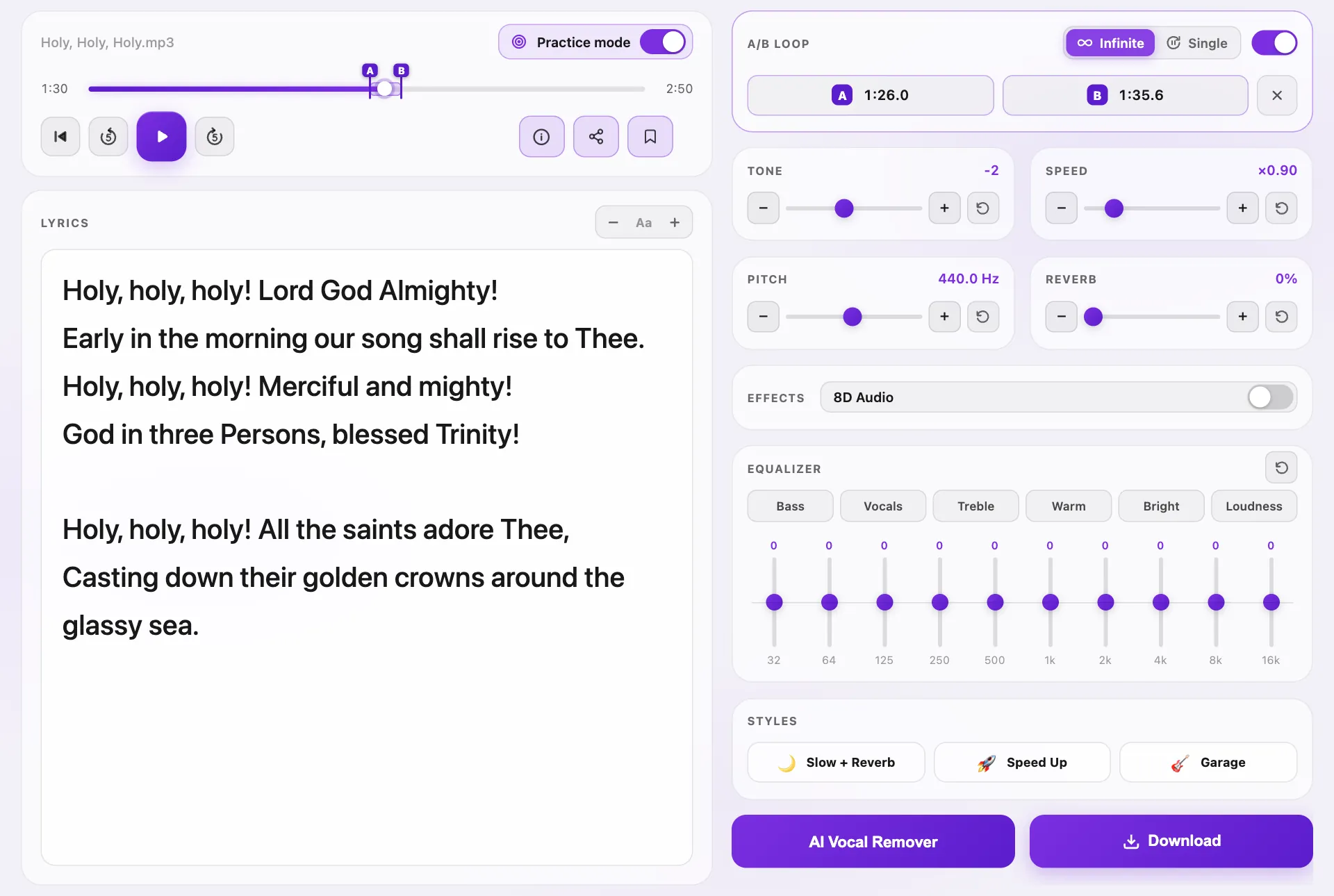
On a computer, whoever directs the choir turns on Practice mode. The lyrics are displayed in large text, and the speed and key are right beside them, to fit the song to the voices of the choir. An A/B loop then repeats one passage, precisely, until it is learned.
Adapt a song to a singer or a choir, and keep it offline
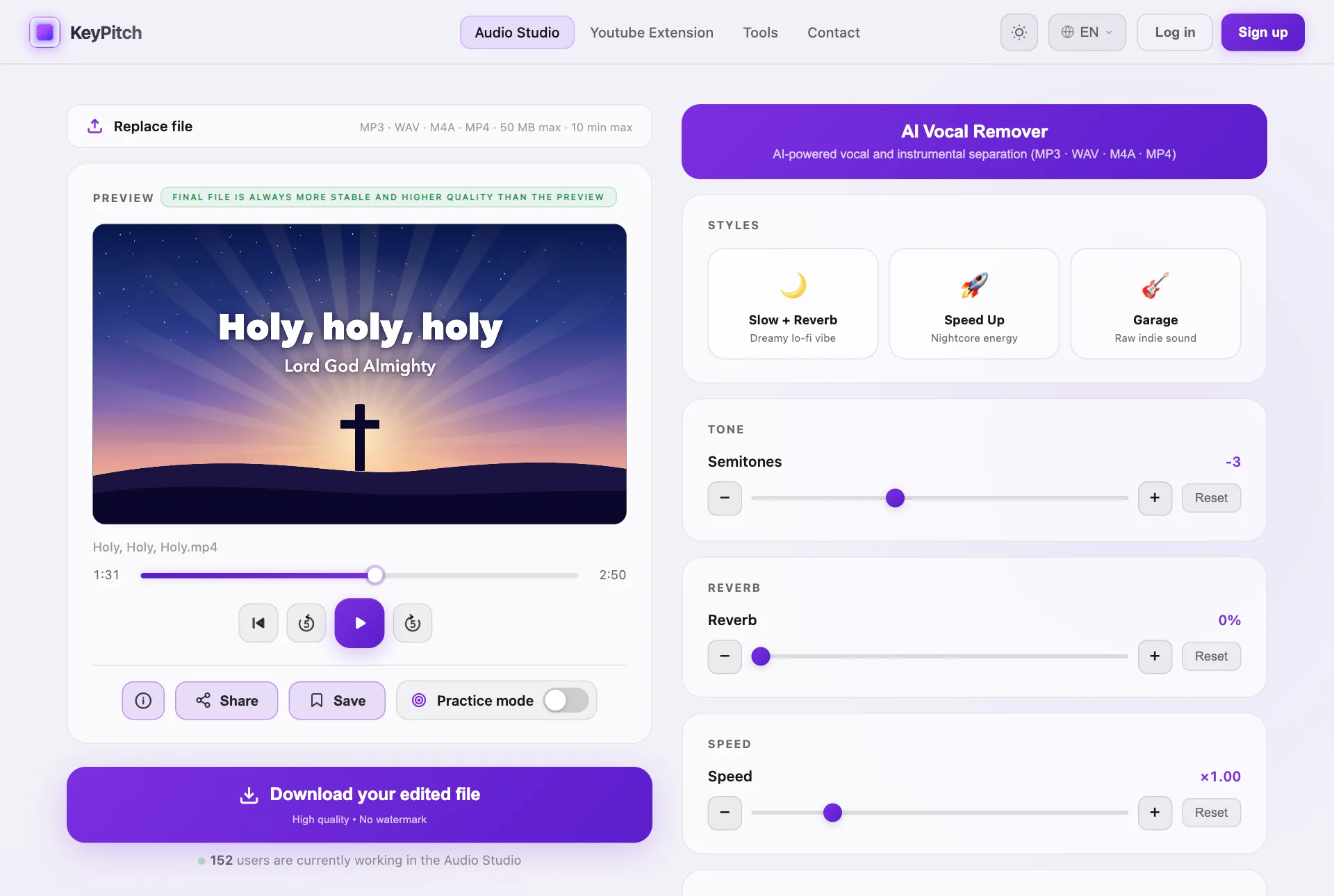
Move the semitones until the song fits the vocal range of your singer or choir; the tempo does not change. Then download the final file as MP3, WAV or MP4. It plays with no internet connection, so there is no risk of a cut during the service.
No instrumental version? Create one with the AI Vocal Remover
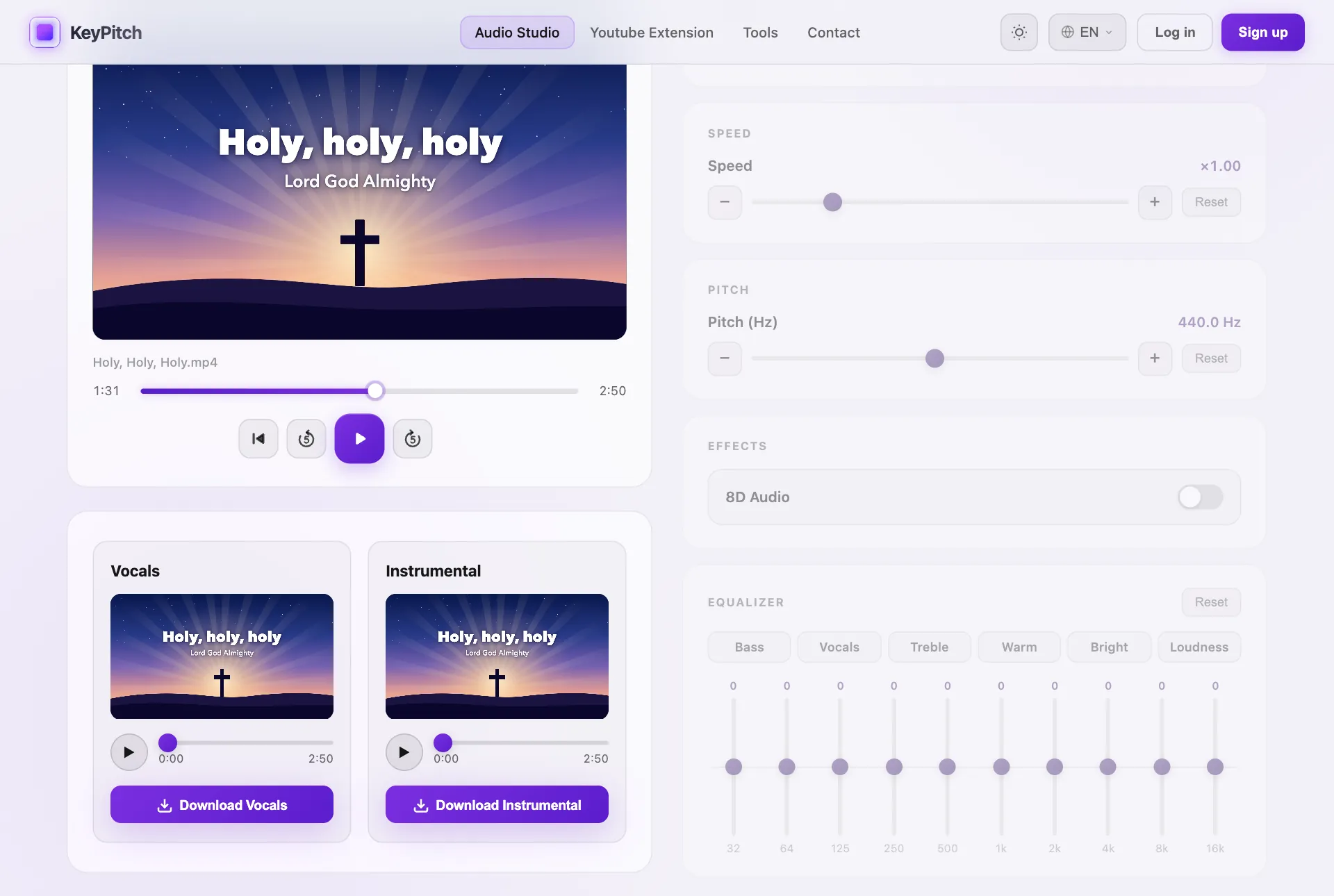
You loved a song on YouTube, but no instrumental or karaoke version exists? Upload the song to KeyPitch as an MP3, WAV, M4A or MP4 file, and the AI Vocal Remover separates the voice from the music. Download the instrumental for worship, then work on it like any other track.
Keep every song in your library, sorted into folders
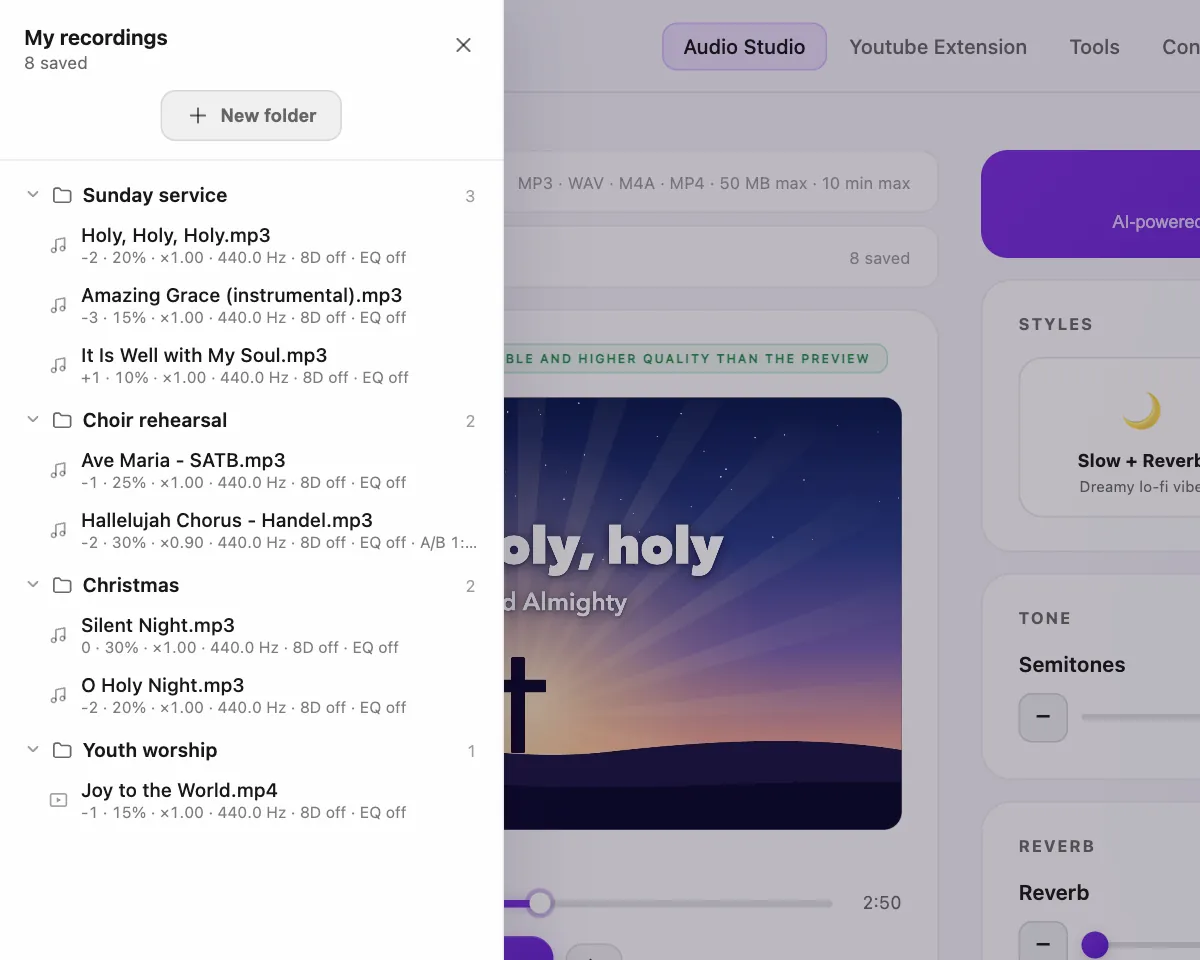
Save every song you work on in the library built into the software, and sort it into folders as you like: Sunday service, choir rehearsal, Christmas. One click re-opens it with the same settings.
Share songs with the choir, musicians and singers
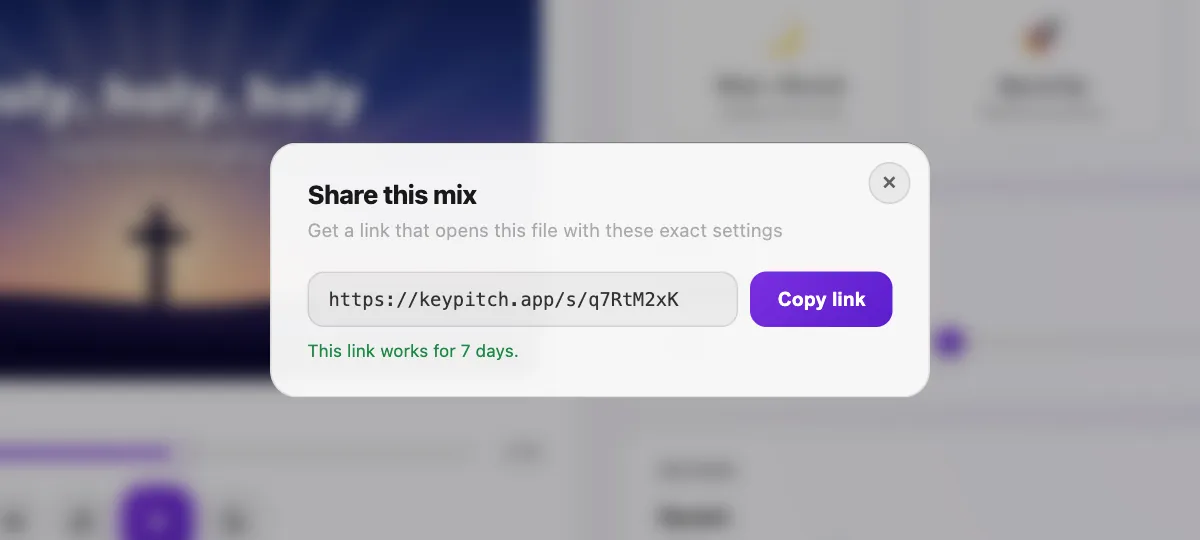
Click Share and send the link to the members of the choir, the musicians or the singers. They re-open the song exactly the same: same file, same settings, with nothing to install. Share links are free and stay valid for 7 days.
How much does KeyPitch Pro cost?
Less than a coffee a month: $3.33 a month on the annual plan ($39.99 a year), or $4.99 month to month, with no commitment. With KeyPitch Pro, everything is unlimited. And you can still use KeyPitch with the free version:
| Feature | Free version | KeyPitch Pro |
|---|---|---|
| Upload a song, use every setting and listen | Yes | Yes |
| Share a song with a link | Yes | Yes |
| AI Vocal Remover: separate and listen | Yes | Yes |
| Practice mode: lyrics and A/B loop | 5 minutes a day | Unlimited |
| Library | 3 recordings and 3 folders | Unlimited |
| Download the final files, instrumentals included, to play offline | One at a time or by pack | Unlimited |
With KeyPitch Pro, you are supporting a brother in Christ.
Your next service is coming up? Start with your first song.
Want the method step by step? Read our guide to worship music software
Frequently Asked Questions
Many churches use KeyPitch Pro, an all-in-one music practice software that also specializes in churches. Worship leaders and choir directors use it to rehearse the choir, adapt songs to a singer's voice, remove the vocals to get the instrumental, and download tracks to play offline during Mass or the service.
KeyPitch Pro is made for it. In Practice mode, whoever directs the choir displays the lyrics, controls the speed and the key, and repeats any passage with an A/B loop. It runs in the browser, with nothing to install.
In the KeyPitch Audio Studio, on a computer, turn on Practice mode. With an audio file, paste the lyrics and enlarge them with the + button; with a lyric video, the picture fills the screen. Set point A and point B on the passage: Infinite repeats it, Single plays it once and waits on A.
Upload the song to KeyPitch and move the Semitones slider until it sits comfortably in the range of your singer or choir, then download it. The key changes and the tempo stays the same.
Upload the song as an MP3, WAV, M4A or MP4 file and click AI Vocal Remover. The AI separates the voice from the music and gives you two tracks to download separately: the vocals and the instrumental, ready for worship.
Yes. Download the final file as MP3, WAV or MP4 and play it from the church computer, a tablet or a phone with no internet connection. A network failure can never interrupt the music during the celebration.
Click Share in KeyPitch and send the link by email or message. Everyone re-opens the same file with the same settings: key, speed, reverb, equalizer and A/B loop. Creating and opening a link is free, with nothing to install, and it stays valid for 7 days.
Save each song in My recordings, the library built into KeyPitch, and sort it into folders as you like. Signed in, the library is there on any computer, and one click re-opens a song with the same settings. A free account keeps 3 recordings; KeyPitch Pro makes the library unlimited.
Less than a coffee a month: $3.33 a month on the annual plan ($39.99 a year), or $4.99 month to month, with no commitment and cancellation at any time. Prices adapt to your country's currency, and licences for a whole worship team are available at a reduced price per seat.
Everything is unlimited: downloads of your final files, the AI Vocal Remover, Practice mode, and a library with as many recordings and folders as you need.
Yes. With the free version you can upload songs, use every setting, listen for as long as you like, separate vocals, share links, keep 3 recordings with a free account and use Practice mode for 5 minutes a day. You only pay to download your final files, one at a time, by pack or with KeyPitch Pro.
Yes. Many churches in the United States already use KeyPitch to prepare worship, train their choirs and create their instrumentals.
No. KeyPitch runs in the browser, on a computer, tablet or phone, with nothing to install. Practice mode needs a computer with a screen at least 1024 pixels wide.
Yes. KeyPitch is made by a brother in Christ: choosing KeyPitch Pro also means supporting this work.